Food & recipes
Couldn't load this preview. Press play to try again.
Viral Video Maker tracks what is going viral in your niche on TikTok and automatically remixes it into finished, ready-to-post videos — with your angle, your length and your quality. On demand or on a schedule; you download and post.


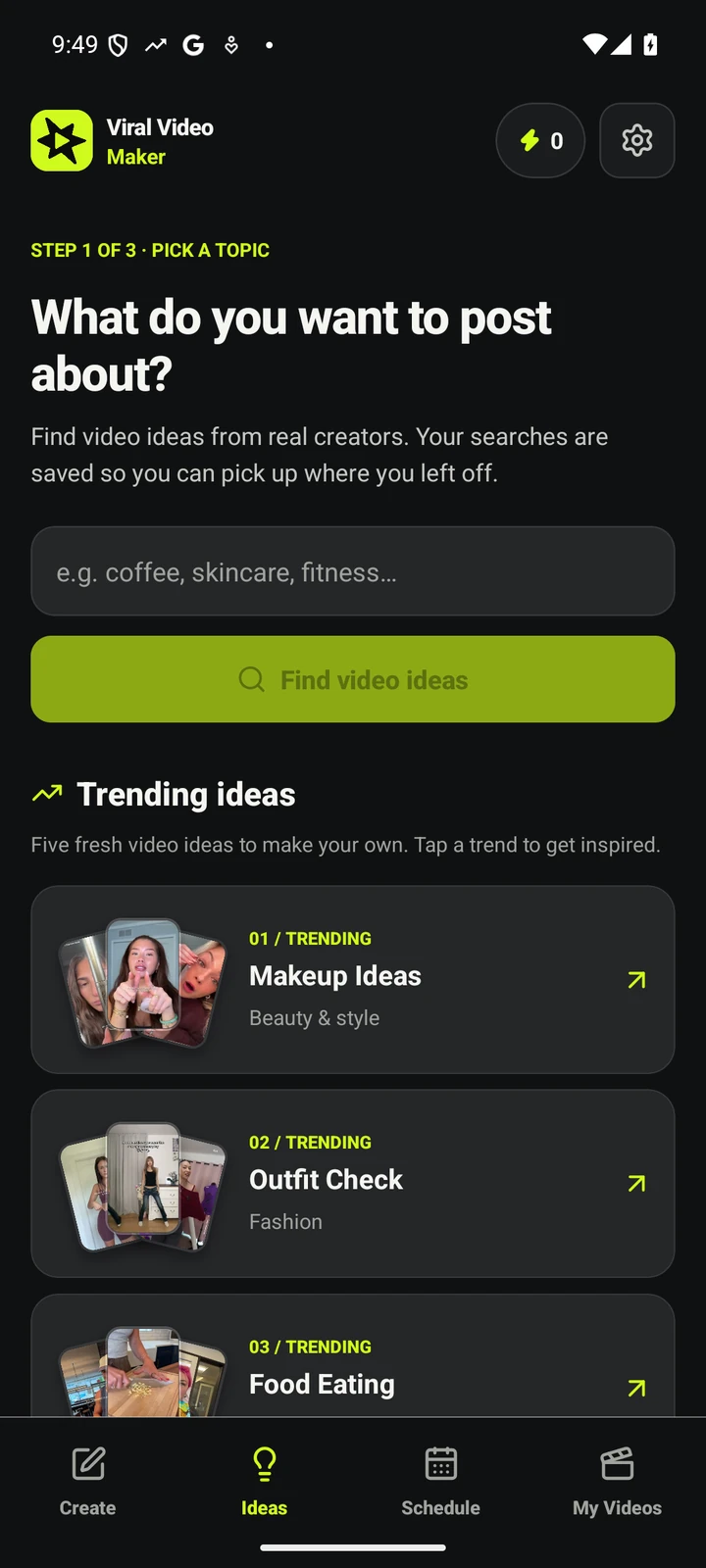
A recipe. A reveal. A great first six seconds.
Find the angle that makes you want to create.
12-second previews. Sound off.
Couldn't load this preview. Press play to try again.
Couldn't load this preview. Press play to try again.
Couldn't load this preview. Press play to try again.
Couldn't load this preview. Press play to try again.
Couldn't load this preview. Press play to try again.
Couldn't load this preview. Press play to try again.
Couldn't load this preview. Press play to try again.
Couldn't load this preview. Press play to try again.
Creator inspiration from TikTok, including sponsored clips. These are not videos generated by Viral Video Maker.
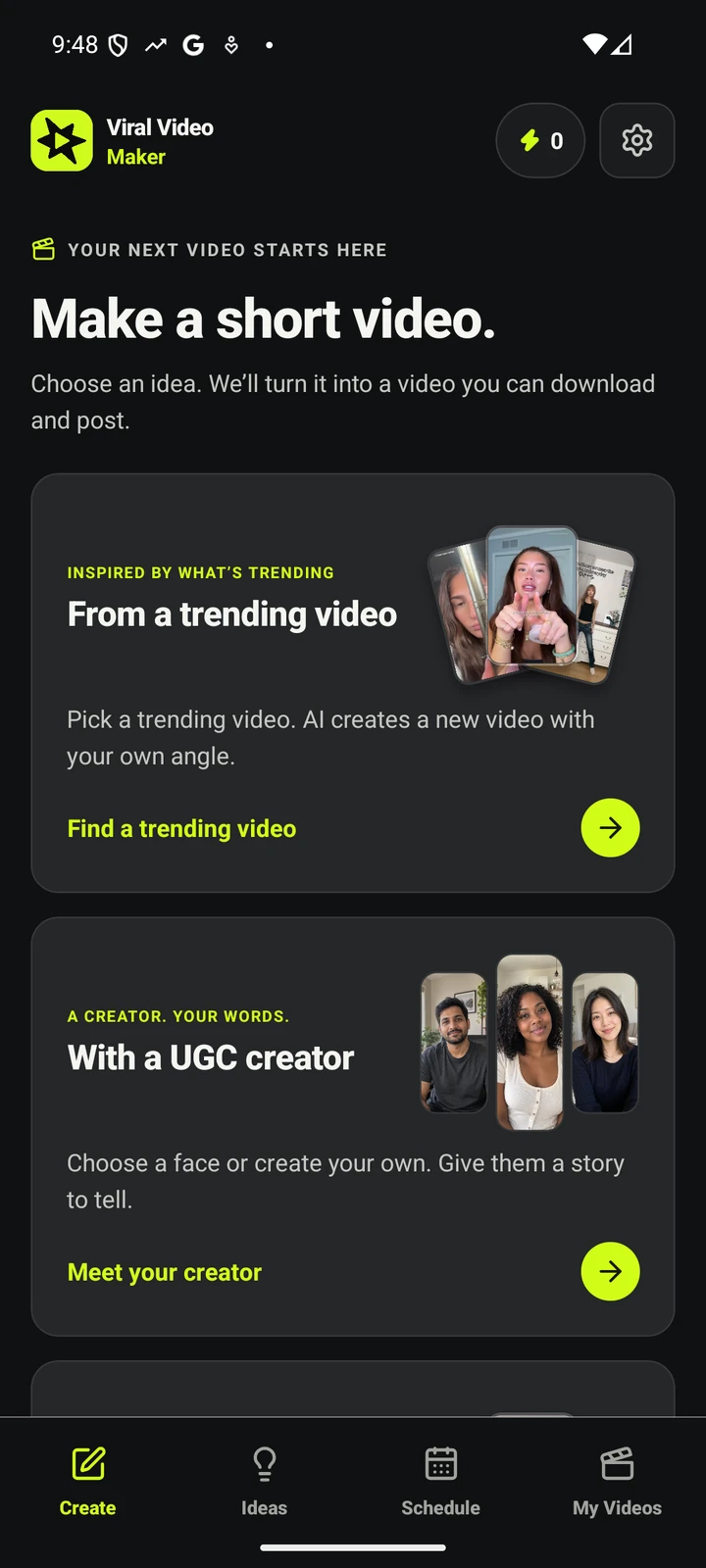
Start with something that inspires you. Make a new video with your own point of view.
Open your niche and see what is rising right now — live TikTok trend data and real creator videos. Save the searches you want to come back to, or start with an idea of your own. How discovery works →
Describe your take, add reference images, and choose the length, quality and shape. Review the credit cost before creating your new AI video — see how credits work →
Set a schedule to keep new videos coming. Find and save your finished videos → ready to download and post. Pause any time.
Not template scripts, not a dashboard that ends at the chart: live niche trends, automatically remixed into ready-to-post videos.
Demand, momentum and content-gap signals from TikTok's public surfaces for your niche, refreshed every 6 hours — and each trend becomes a finished video in the same app. Trend tools stop at the chart; AI video makers wait for you to bring the idea. See what's trending in your niche →
Every viral source is used exactly once. Your content stays original — how the idea well stays full →
All six scenes are generated together so characters, lighting and style match across the whole video. What happens when you press create →
Each trend keeps a saved prompt and your images — every video sounds like you without re-typing anything. See how saved searches work →
Install and browse trends immediately. Subscriptions use your device’s app store — restoring purchases takes one tap.
Pick 10–60 seconds per video. Per 10 seconds: 480p = 1 credit, 720p = 2. That's the whole pricing model →
Making a video costs credits and plans start at $19 a month; there is no free video. Everything else stays open, and these are the lines exactly as the app draws them.
Nothing is stamped on your video. The file you download is the file we rendered, at the resolution you chose.
10 to 60 seconds, 480p or 720p, 9:16, 1:1 or 16:9 on every plan. A longer or sharper video costs more credits, not a higher tier.
Featured trends and following up to 3 trends of your own are free, with no account, email or password. That stays free if you never subscribe.
Finished videos stay in your library and downloadable after you cancel. Unused credits roll over for one month and stay spendable.
There are no top-ups or overage fees. If credits run out, scheduled videos wait for your next allowance; nothing is billed beyond the subscription.
Subscriptions run through the App Store or Google Play, so you cancel there like any other app. Restore purchases from Settings on a new phone.
Screens from the current iPhone app.
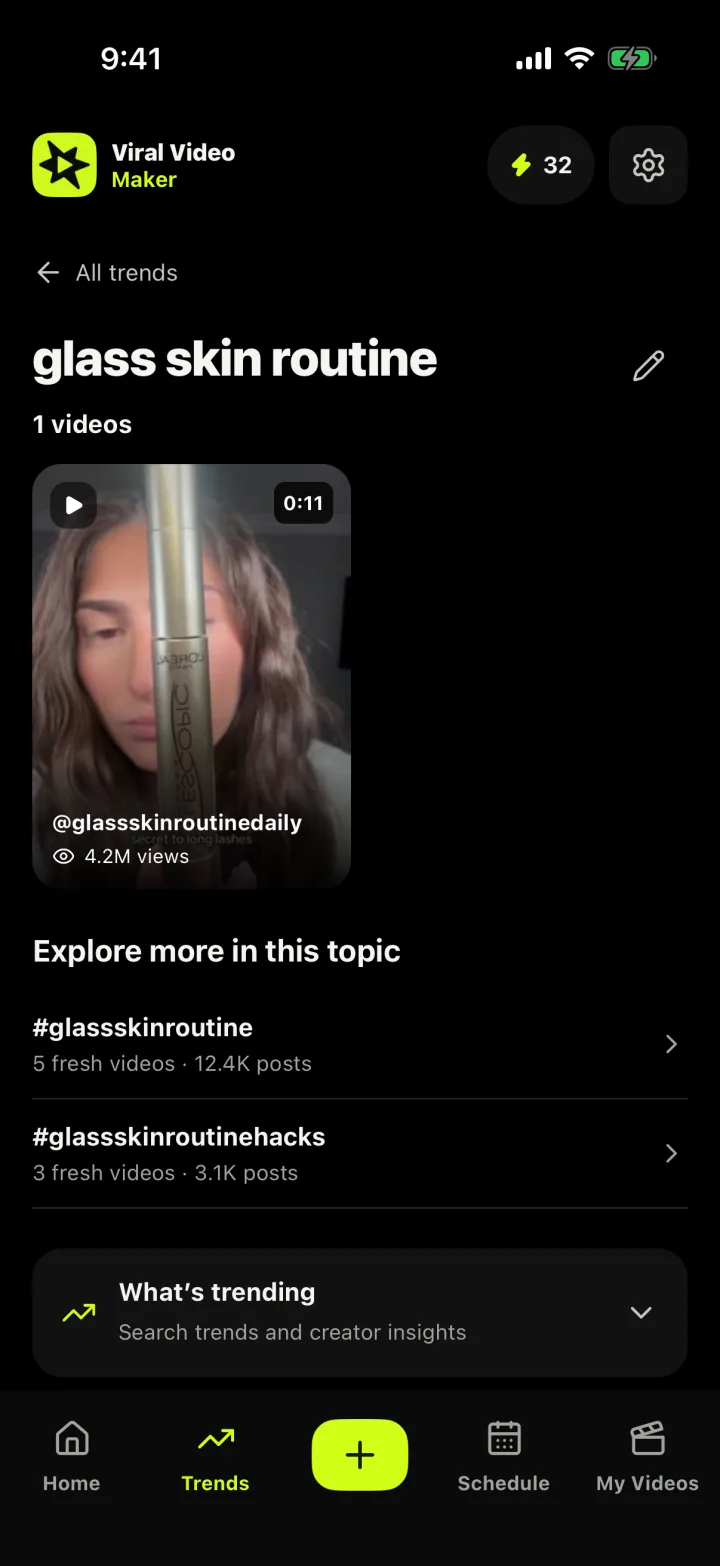
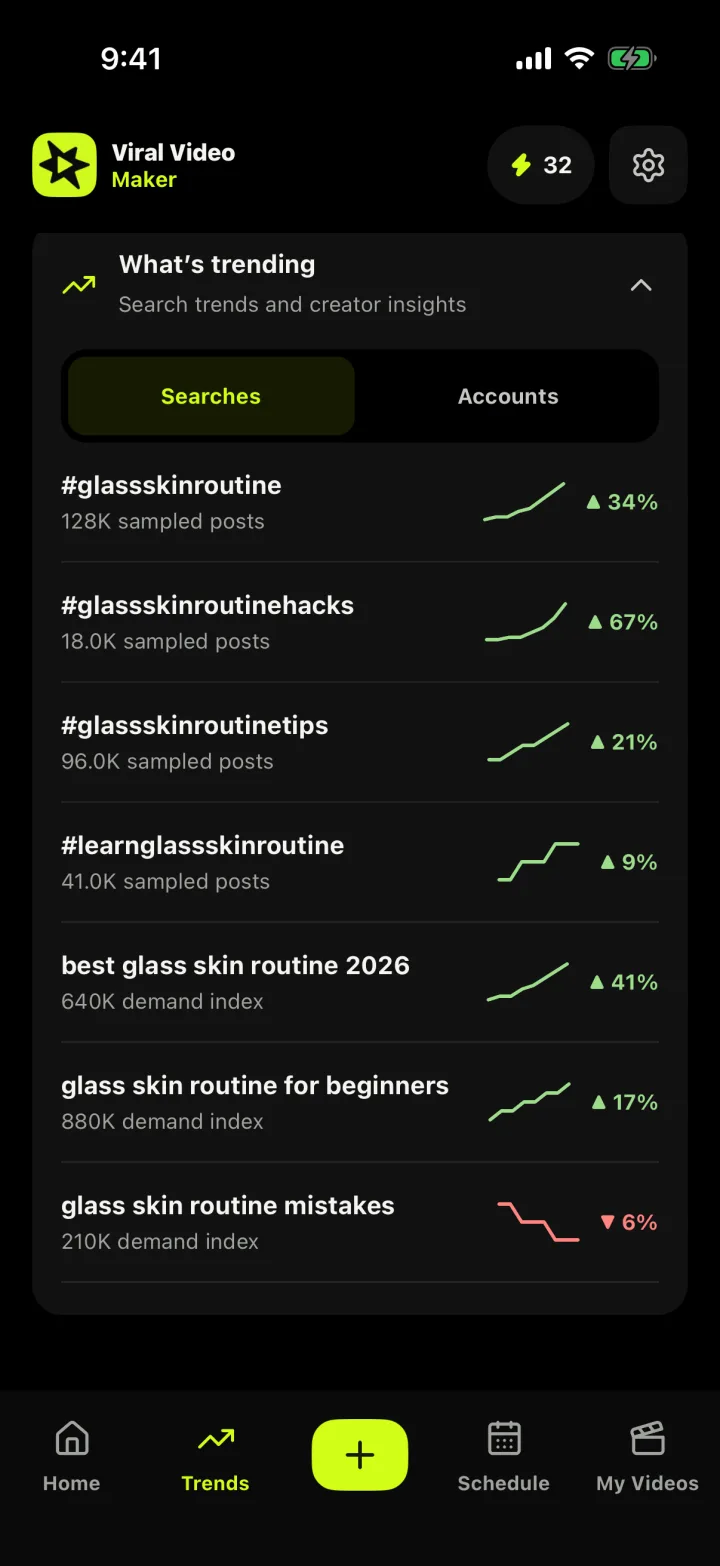
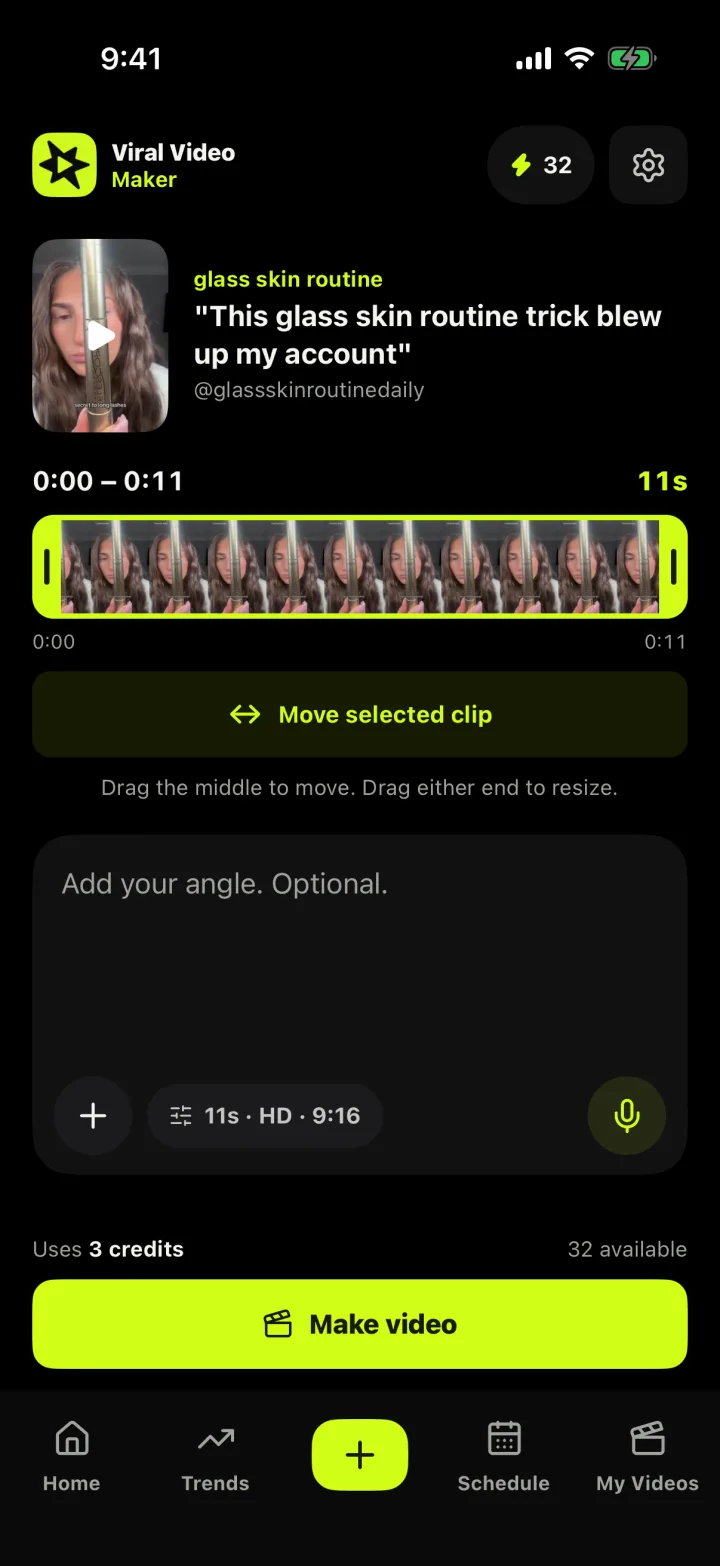
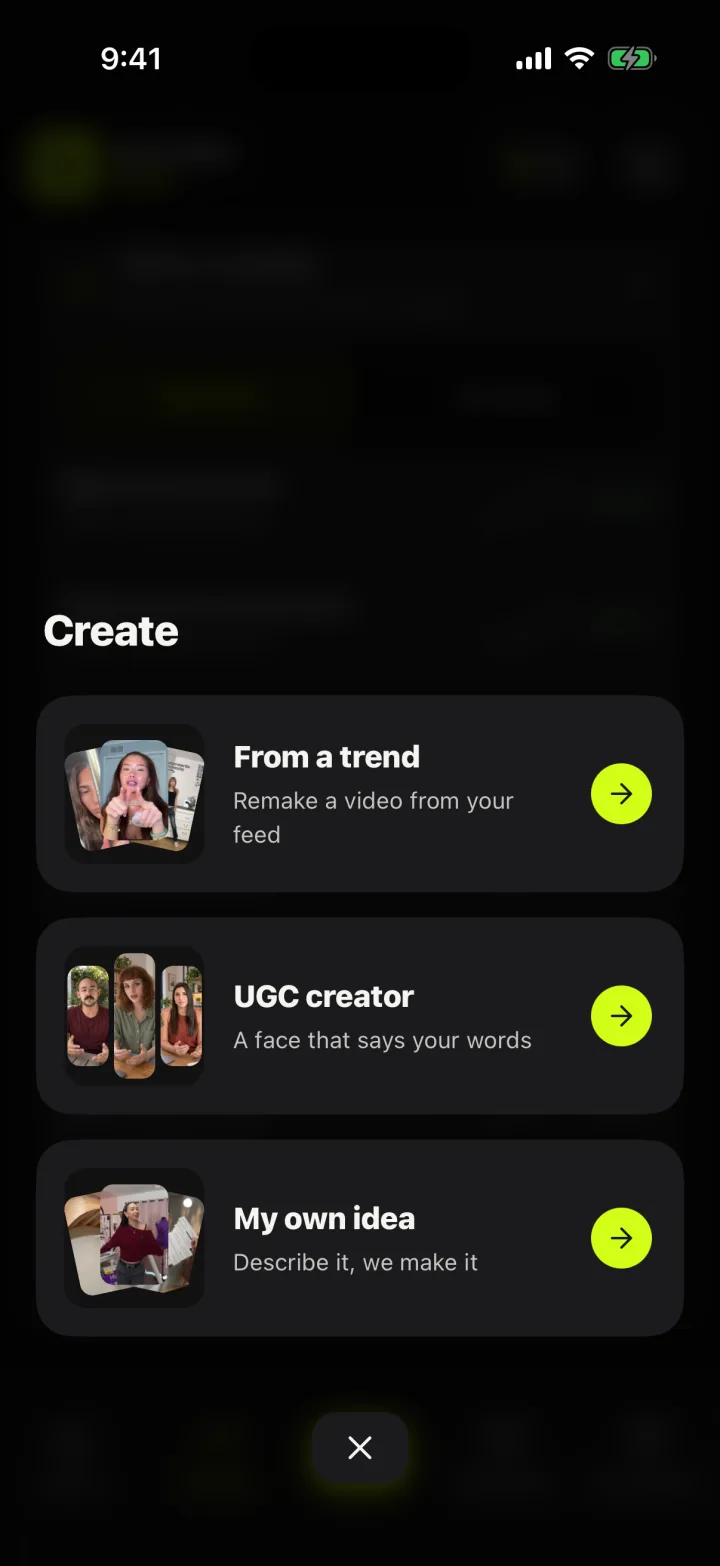
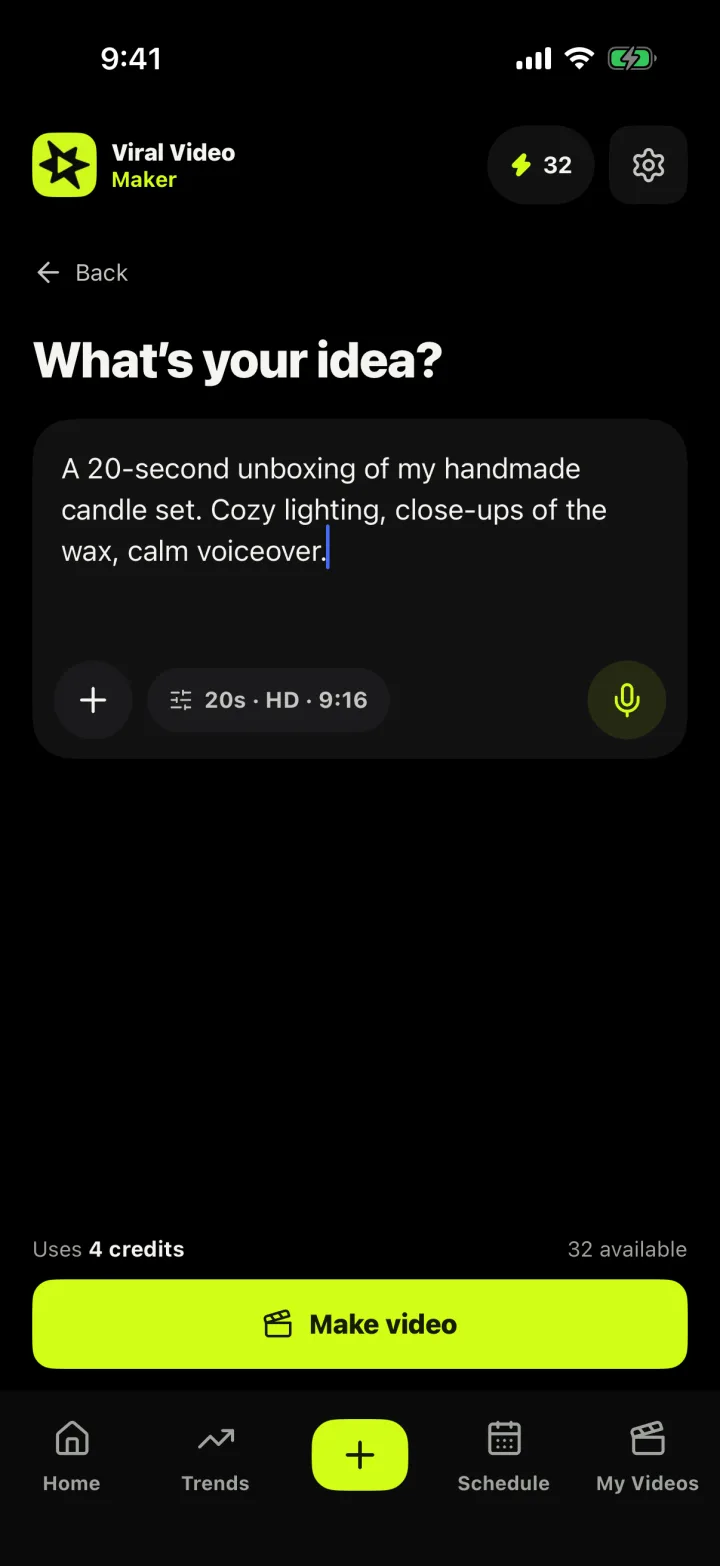
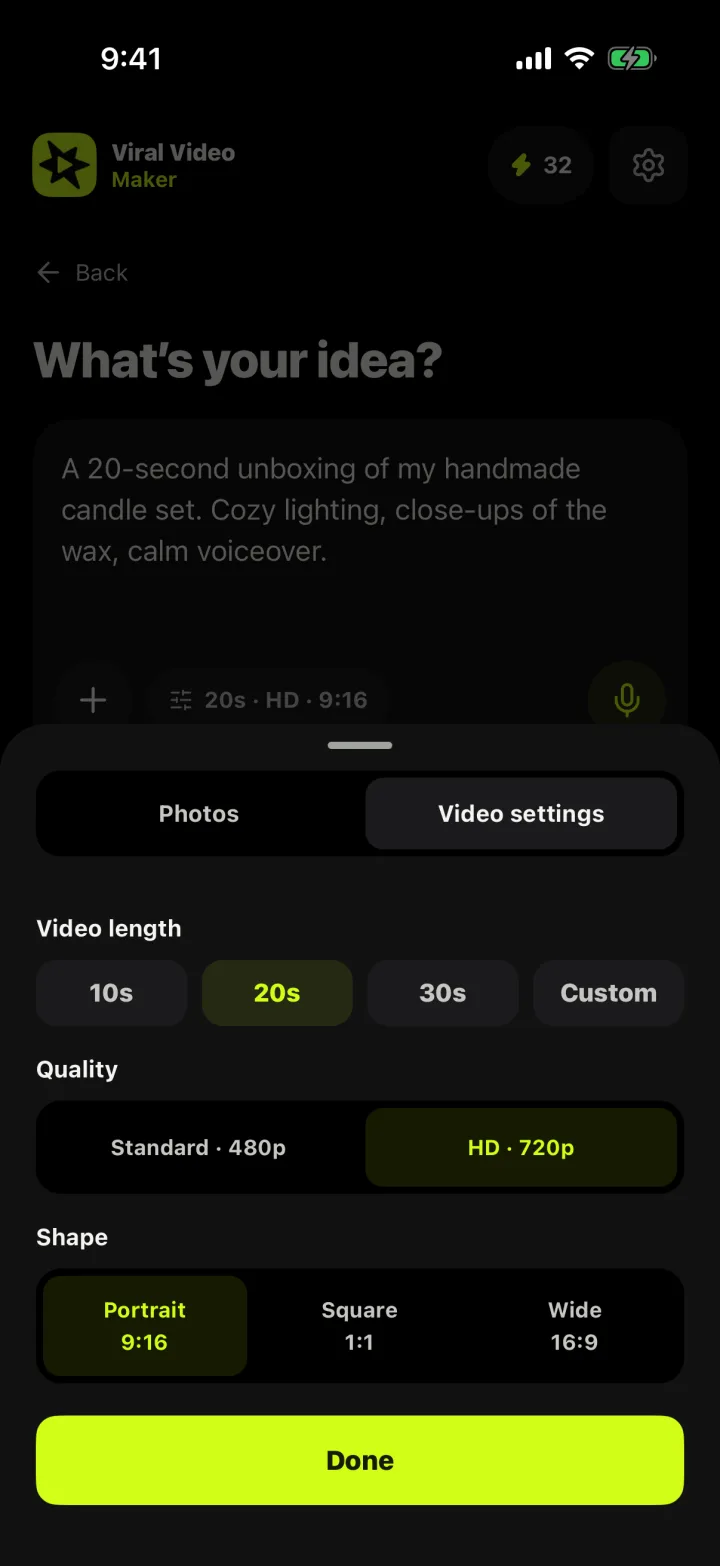
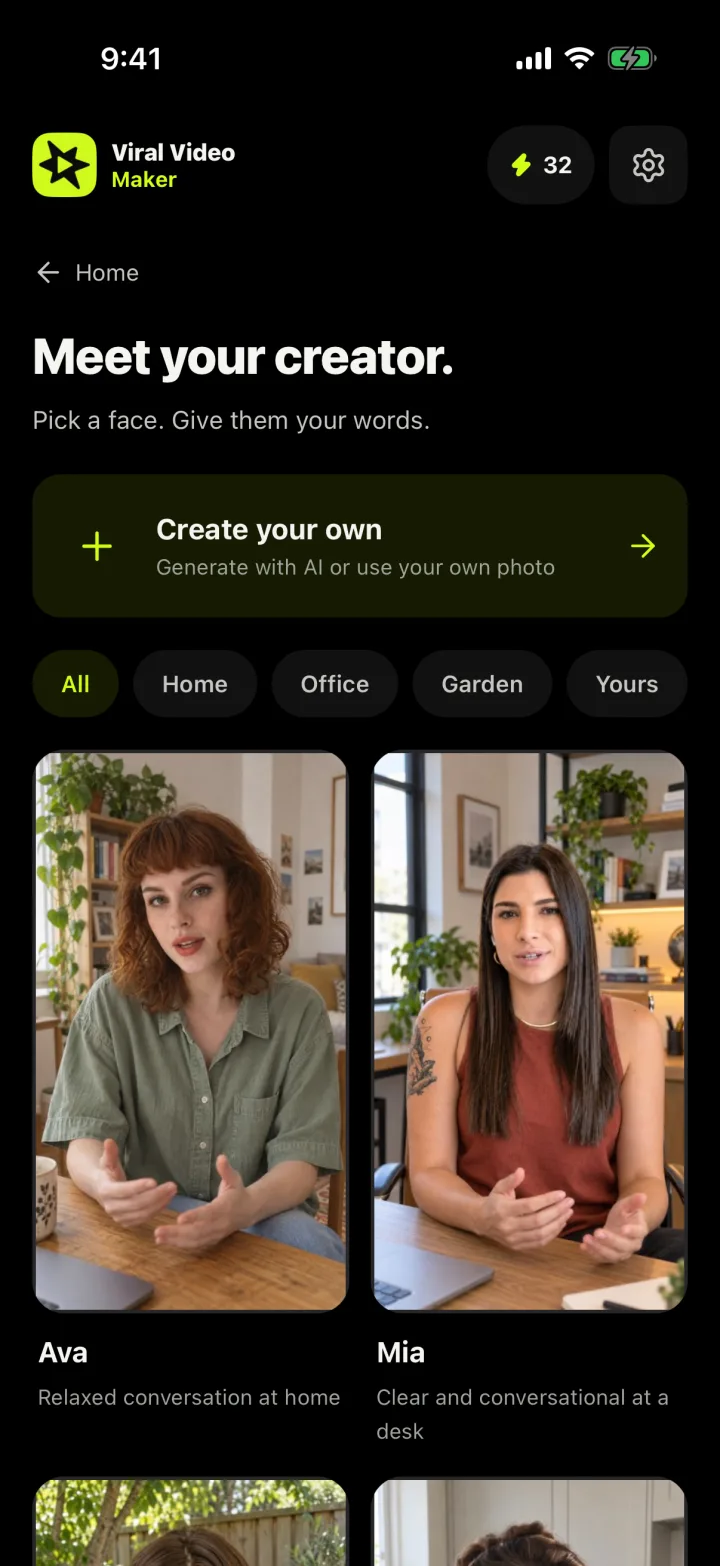
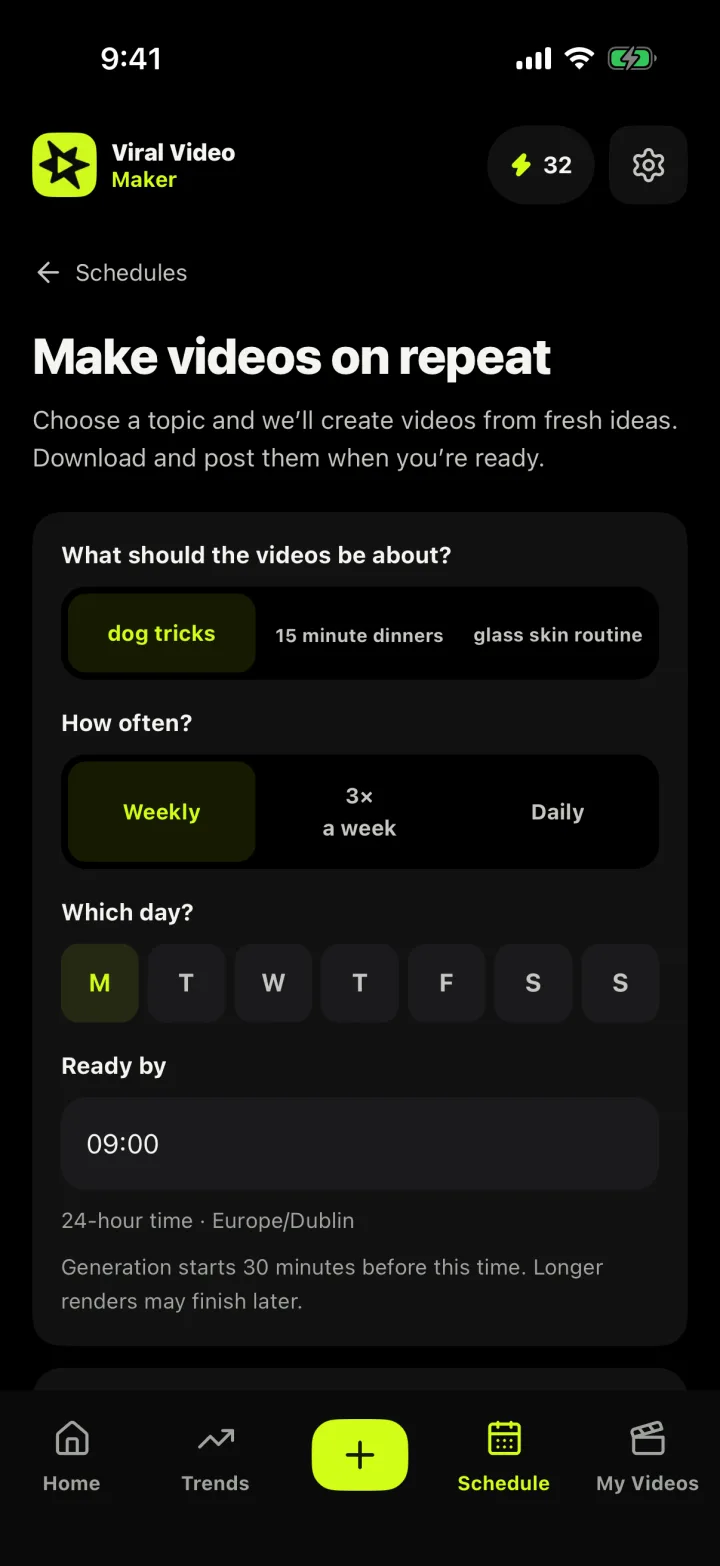
If growth depends on showing up consistently, Viral Video Maker keeps the idea pipeline full and the production line moving — no film crew, no editor, no calendar to fill.
Run a food, beauty or tech account without showing your face? The app tracks rising topics and turns them into finished 9:16 videos you can post the same day, built on formats already proving themselves.
Pick the niche your product lives in, watch which formats are climbing, and put your product in front of the trend — at the length and shape you choose, with no watermark to explain away.
Volume wins in affiliate content, and volume dies without a system. Save your product niches and queue remix after remix — each distinct, because every viral source is used exactly once.
Keep your process for the big pieces and let scheduled videos cover the rest of the week. Describe your angle once and every future video starts from your saved prompt — output that sounds like you.
Several accounts means several niches to monitor. Track topics, compare demand across them, and produce a month of concept videos in an afternoon for client review.
Not sure a niche is worth your time? Browse featured trends and track your niche free, no account needed, and subscribe only when it proves itself.
Most tools give half of this: analytics that stop at a chart, or a generator that waits for the idea. Here both halves run as one loop.
The engine watches TikTok's public surfaces for the searches and hashtags you track and scores each topic on demand, momentum and the content gap — demand versus how little exists about it. Big demand with thin supply is a creator's window, the opportunity a view-count leaderboard hides. Signals refresh every 6 hours, so spikes get caught the day they start.
Tap any trend and you're in the creation flow: pick the part of the trending video to remake, add your photos and angle, choose quality (480p/720p) and shape (9:16, 1:1, 16:9), and see the credit cost before you commit. Starting from your own idea instead? Choose a length from 10 to 60 seconds and the scenes are generated together, so style stays consistent end to end.
Trending videos are proposals, not scripts. The app remakes the trend's motion and pacing around your angle and your photos, and every viral source is used once, so your catalog never repeats itself. Saved prompts and images ride along with each trend: the next video costs a tap, not a fresh brief.
Set a schedule and the app keeps generating videos on your cadence. Review and download when it suits you; pause any time. When credits run out, scheduled videos wait for your next allowance — nothing extra is billed.
The whole cost model: per 10 seconds, 1 credit at 480p or 2 at 720p. A 30-second 480p video is 3 credits. Plans carry 12, 32 or 65 credits a month, rollover lasts one month, and no plan gates a format. See the full plan comparison →
Viral Video Maker sits in the gap between trend dashboards and generic AI video generators — and replaces the spreadsheet, the group-chat screenshots and the "what do I post today?" panic in the middle.
Trend trackers tell you something is trending. Then the software ends: you still write, shoot and render before the moment passes. Here the trend list is the to-do list — "rising" to "posted" in minutes.
Prompt-in, video-out tools assume the hardest part — the idea — is solved. It isn't. A generator blind to what's rising produces polished videos of things nobody searches anymore. Here the idea starts from live demand signals in your niche.
An editor or agency works from a brief you still have to write, on their schedule. Keep people for your flagship pieces and let the app cover the everyday posts.
The manual version is an hour of scrolling and someone else's video recreated after its sound has peaked. The tracked version automates the research, measures the timing and prevents the duplication.
Discovery, generation, scheduling and library live on your phone — no accounts to string together, no desktop. Install it, pick your niche, and the loop runs from your pocket. Get the app →
The lines exactly as the app and the store listings draw them. For anything else, support covers purchases, availability and contact.
Plans start at $19 a month. Making a video costs credits: for every 10 seconds of video, 480p costs 1 credit and 720p costs 2 credits. There are no top-ups or overage fees — if credits run out, scheduled videos simply wait for your next allowance. See plans & pricing →
Browsing trends is free forever: featured trends and following up to 3 trends of your own are free with no account, email or password. There is no free generated video — making a video requires a paid plan.
No. Install the app and browse trends immediately, with no sign-up. Subscriptions run through your device's app store, and you can restore purchases from Settings.
No. Nothing is stamped on your video. The file you download is the file that was rendered, at the resolution you chose.
It tracks demand, momentum and content-gap signals from TikTok's public surfaces for your niche, refreshed every 6 hours, and turns each trend into a finished video in the same app. How discovery works →
Finished videos stay in your library and remain downloadable after you cancel. Unused credits roll over for one month and stay spendable. Subscriptions are cancelled in the App Store or Google Play, where they were bought.
Start with the trend feed, work out the cost, or read the fine print — every page is one tap from here.
Rising hashtags, search demand and creator momentum for your niche — the full tour of the discovery engine.
What the trend feed shows you →
Three plans from $19/month, the same formats on every tier, and credits that roll over for a month.
Purchase help, video tips and how to reach a human: answers to the questions that come up most.
The policies are short and plain, because they should be.

We track what's going viral in your niche — you get the finished videos. Plans from $19/month. Browsing trends is free, forever.